
Guest speakers are a gift, but receiving their slides don’t always fit neatly into your workflow. If you’ve ever received a PowerPoint file and felt the pressure rise, you’re not alone.
The good news? You don’t have to rebuild those slides from scratch. With the PowerPoint Importer, you can quickly bring in their presentation and keep everything running smoothly.
A smoother way to handle guest slides.
Instead of recreating each slide manually, simply import the file directly into ProPresenter. The slides will come in ready to organize, adjust, and present—saving you time and stress. This means:
- No last-minute copying and pasting
- No formatting guesswork
- No delays before service starts
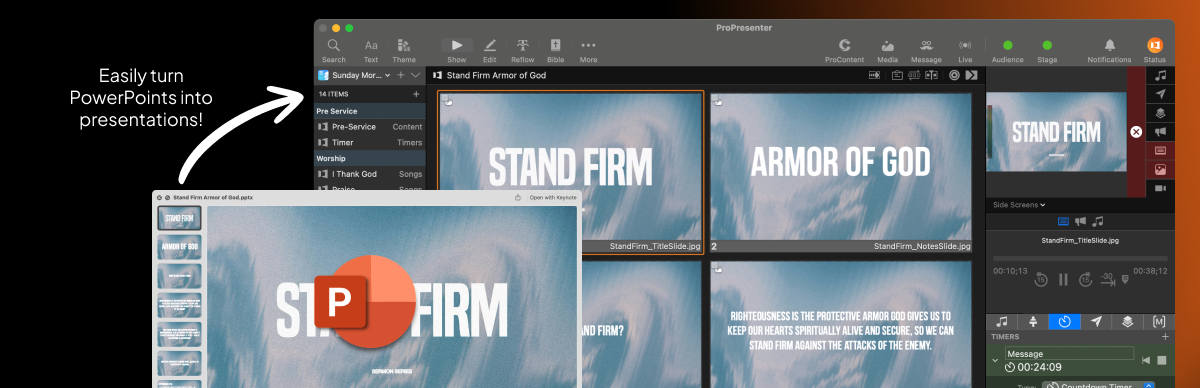
Once imported, take a minute to scan through the slides. You can adjust fonts, fix spacing, or apply your theme so everything feels cohesive with the rest of your service.
Keep your focus where it matters!
When the tech side is simple, you’re free to focus on supporting the message... not scrambling behind the scenes. Learn how to seamlessly utilize the PowerPoint Importer with our how-to blog post, linked below!



Stay Updated with Our Newsletter
Get the latest news, updates, and exclusive offers delivered straight to your inbox.

Questions?
Browse our FAQs or our Knowledge base that we’ve made to answer your questions. Need additional help? Connect with a support team agent!