
You don’t need to learn everything today, you just need to get your first presentation on screen. We’ll walk you through how to build your first service step-by-step in under 23 minutes!
Step 1: Create your first Playlist
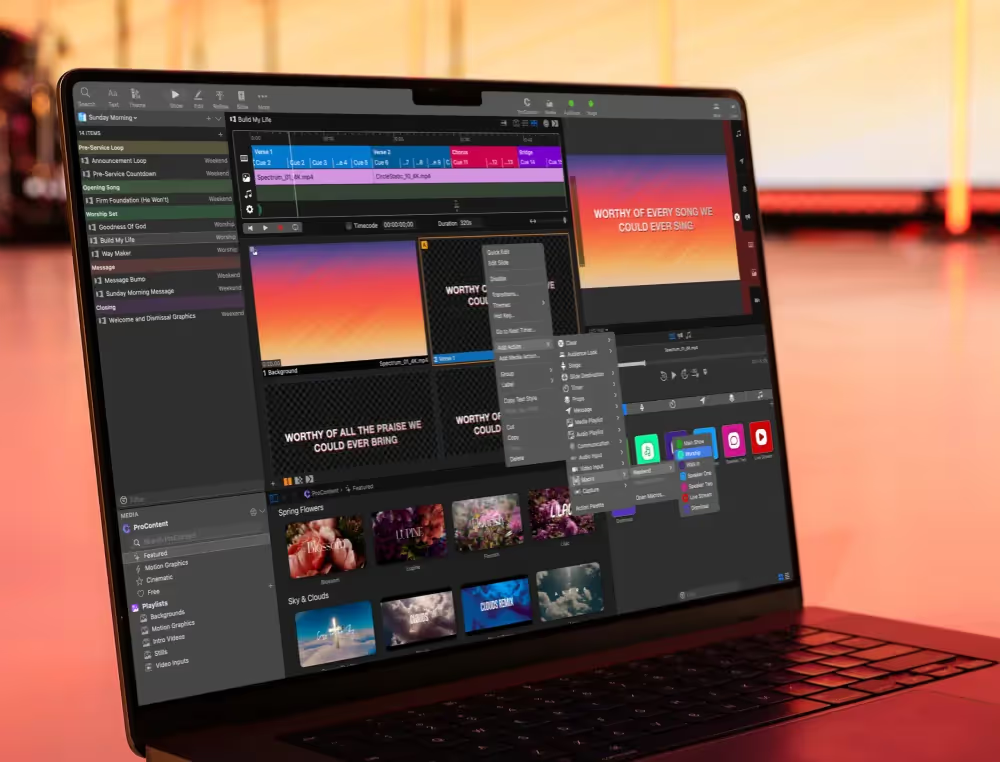
Playlists are how you organize everything for your service: from worship to your message to announcements. Think of it like your run-of-show for the day.
Once you create a playlist, you can drop in all your presentations and keep everything in order so you’re not scrambling during the service. Here's how:
Step 2: Use Themes to move faster
Instead of designing every slide from scratch, Themes lets you apply a consistent look to your slides instantly. This is especially helpful for worship lyrics, sermon notes or announcement slides.
You can set up a theme once and reuse it every week. And to make it even easier, we offer a library of ProContent themes you can download and start using right away
Step 3: Add your media (the easy way)
Got videos, countdowns, or background loops? The Media Bin is where everything lives. Just drag and drop your files in, and they’ll be ready to use whenever you need them so there's no digging through folders during your service.
It’s also where you can access free ProContent backgrounds to instantly elevate your worship slides.
Step 4: Set up your confidence monitor
The Confidence Monitor (or Stage Display) is what your team sees, not your audience. It helps everyone stay on the same page and run the service smoothly without guessing what’s coming next.
It can show things like:
- The current and next slide
- Timers and clocks
- Notes for your speakers or worship team
- Even the current media on your screen
Want to dive deeper? We've got you!
If you want a little more guidance as you build, we’ve put together a full intro series that walks you through everything step-by-step from setup to running your first service with confidence.

Stay Updated with Our Newsletter
Get the latest news, updates, and exclusive offers delivered straight to your inbox.

Questions?
Browse our FAQs or our Knowledge base that we’ve made to answer your questions. Need additional help? Connect with a support team agent!