
When worship slides look polished and consistent, it helps worship feel intentional and distraction-free. But rebuilding slides every week to match your design style can take a lot of time. That’s where Themes come in.
In ProPresenter, Themes allow you to instantly apply styling to slides so every song looks consistent without recreating slides each week.
What are 'Themes'?
Themes let you define exactly how slides should look. This can include things like:
- Font style and size
- Text alignment
- Slide backgrounds
- Text boxes and positioning
Once a Theme is created, you can apply it to any song in seconds. Instead of manually formatting every lyric slide, you simply apply the Theme and your styling is instantly applied.
If you want to see exactly how Themes work, this tutorial walks through the process step-by-step.

Keep your screens consistent.
Consistency across slides helps your visuals feel intentional. Without Themes, slides can sometimes look slightly different depending on who built them. With Themes applied, every song follows the same visual style automatically.
Start with pre-made Themes.
If you don’t want to build Themes from scratch, there are plenty of pre-designed options available. You can download professionally designed Themes that are ready to apply directly to your songs here.
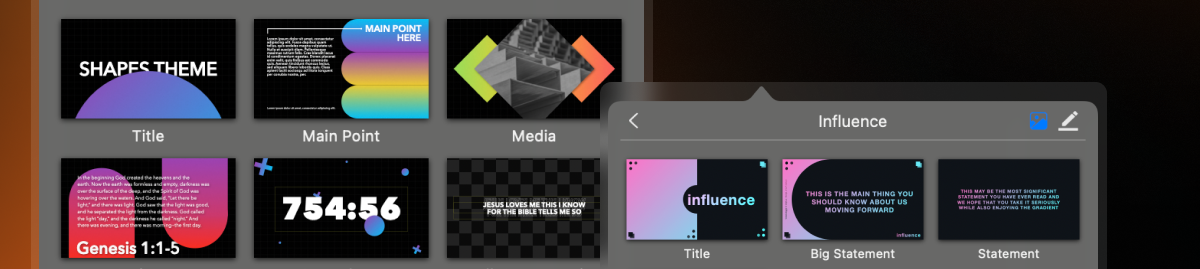
Better slides in seconds.
Themes are one of the simplest ways to improve your lyric slides without adding extra work to your weekly workflow. Once your Theme is set, every song can look polished and consistent in seconds!

Stay Updated with Our Newsletter
Get the latest news, updates, and exclusive offers delivered straight to your inbox.
Questions?
Browse our FAQs or our Knowledge base that we’ve made to answer your questions. Need additional help? Connect with a support team agent!