
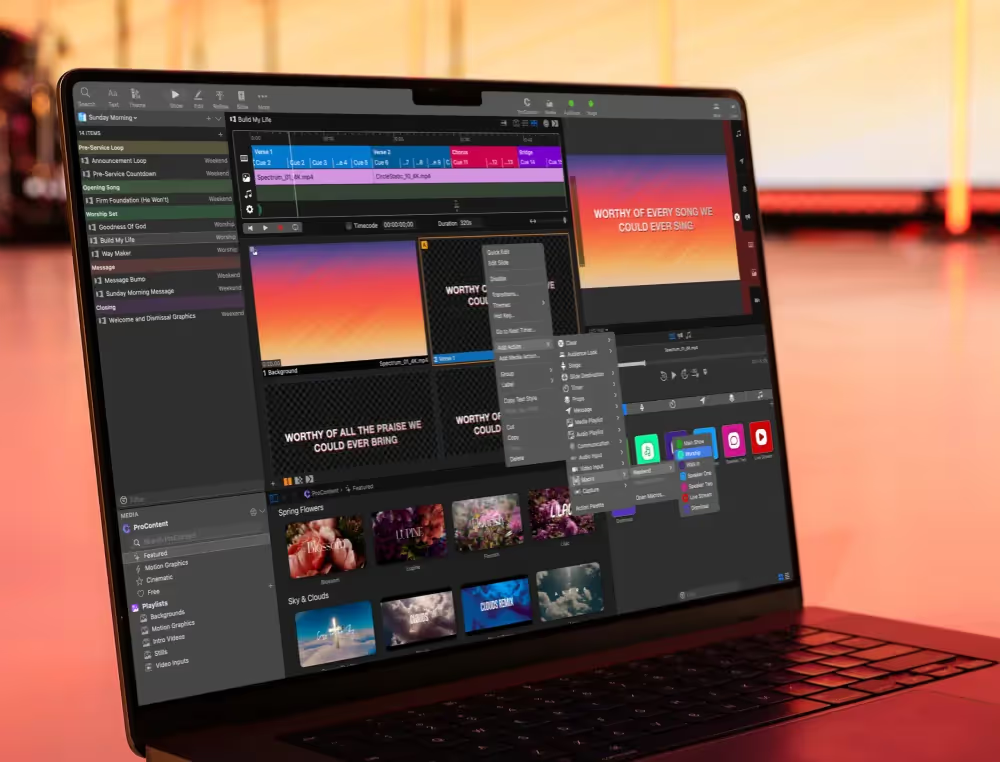
This is where ProPresenter really starts to stand out. Most presentation tools send the same content to every screen. ProPresenter doesn’t.
Instead, you can show different content to different audiences... all at the same time. And once you see it in action, it changes how you think about running your service.
What this looks like in a real service:
From a single computer, you can run your entire environment:
- Main Screens: Lyrics, announcements, message slides
- Stage Display (Confidence Monitor): Lyrics + chords, timers, notes for your team
- Livestream Output: Clean, distraction-free visuals for your online audience
Each screen gets exactly what it needs. Nothing more, nothing less.
Why this matters...
Think about your team for a second. Your worship team needs lyrics (and maybe chords). Your speaker needs notes and timing. Your in-room audience needs clean, readable slides. Your online audience needs a polished, distraction-free feed.
With most tools, you’re forced to compromise. With ProPresenter, you don’t have to. You’re not just presenting slides, you’re creating an experience tailored to every audience in the room (and beyond it).
Let's set up your stage display.
The Stage Display (or Confidence Monitor) is one of the easiest ways to see this in action. It gives your team a behind-the-scenes view of what’s happening so no one is guessing what slide is coming next. Here's our video tutorial all about how to customize your stage display and set it up.
Now, let's focus on streaming
If you’re streaming your service, ProPresenter lets you send a completely different output to your online audience.
That means:
- No stage-only notes showing up on stream
- Cleaner visuals
- More control over what your audience sees
Sound complicated? We have a video tutorial all about this as well! Watch our intro to setting up streaming on ProPresenter with our 'Streaming Best Practices' tutorial:
One system. No workarounds.
No switching computers. No extra operators. No complicated setups. Just one system running everything smoothly.
This is one of the biggest reasons teams move from tools like PowerPoint or Google Slides to ProPresenter: it’s built for live production, not just presentations.
Stay Updated with Our Newsletter
Get the latest news, updates, and exclusive offers delivered straight to your inbox.
Questions?
Browse our FAQs or our Knowledge base that we’ve made to answer your questions. Need additional help? Connect with a support team agent!