
Streamline Your Presentations
The release of ProPresenter 7.6 brings in some of our top user-requested features: Scrolling Text and Macros.
Scrolling Text adds a unique visual element to slides, making it easy to create a presentation that looks good even if you’re not a graphic designer. Macros cut down set up time for your show, while also bringing flexibility to running your show live.

Scrolling Text
Whether left, right, up, or down, scrolling text gives your presentation a visual element that will draw in your audience. Scroll worship lyrics on your screens to add a fresh look, pull-in weather or news from RSS for a live stream ticker, display a message to parents, or even scroll announcements during pre-show. With Scrolling Text, your options just keep rolling.
Your browser does not support the video tag.
Your browser does not support the video tag.
Your browser does not support the video tag.
Your browser does not support the video tag.
Scrolling Text Features
- Scroll text vertically or horizontally
- Add feathering to scrolling text for a unique look
- Change the scroll speed to match a tempo
- Automatically create delimiters from line returns

Macros
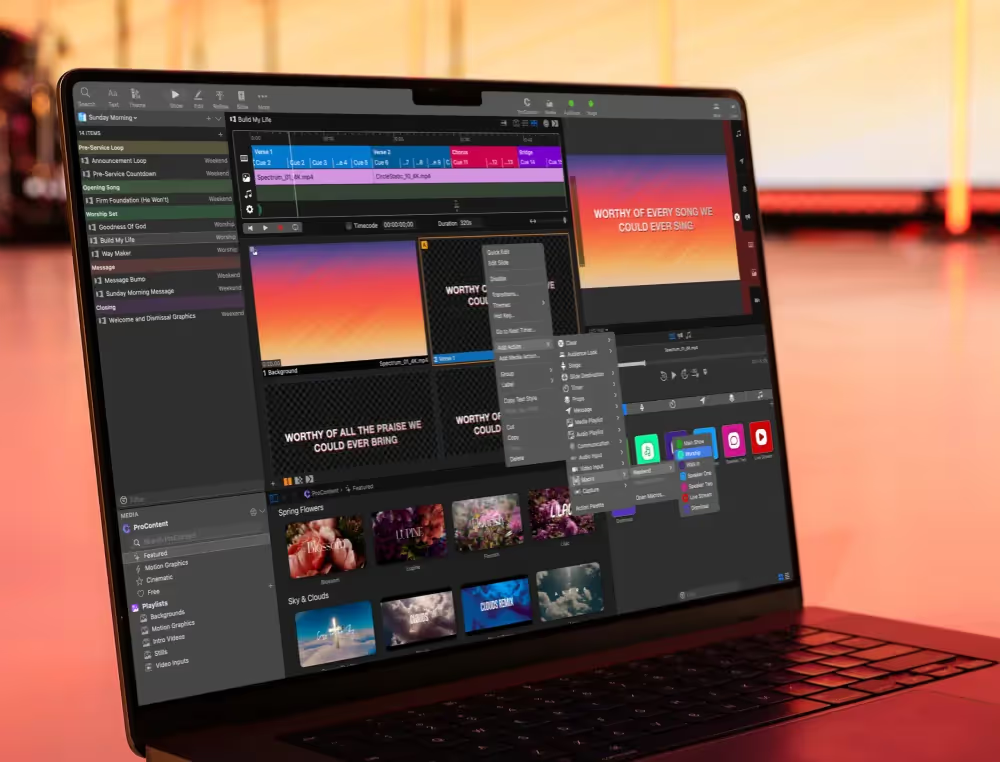
Building and running your show is simple with Macros. Macros consist of any number of actions and can be automatically triggered at the startup of ProPresenter, from a slide, via a communications device like MIDI or DMX, or even directly in the Macros Show Control. Trigger a stage screen layout change, an audio playlist, and even start a timer, all at the same time with a single macro.
Macros Features
- Select a macro to trigger at startup
- Set a color and name for any macro
- Trigger a macro from within a macro
- Pull actions out of a macro to a slide (On Mac: Option + Click & Drag Macro to Slide; On Windows: Ctrl + Click & Drag Macro to Slide)
Additional Enhancements
✅ Adds support for rearranging the Show Controls (command+drag button)
✅ Improved startup time when loading large libraries.
✅ Improves matching of library presentations with Planning Center items
✅ Over 25 bug fixes and improvements.
We love seeing how people are using ProPresenter to change the world. Doing something cool? Tag @propresenter on Twitter, Instagram, or post in our Facebook ProPresenter Users Group.
Learn more about the improved features of our worship software here.

Stay Updated with Our Newsletter
Get the latest news, updates, and exclusive offers delivered straight to your inbox.

Questions?
Browse our FAQs or our Knowledge base that we’ve made to answer your questions. Need additional help? Connect with a support team agent!