
It happens to everyone. You’re mid-service, everything is going smoothly, and then you see it. A typo sitting on the next slide, waiting to go live.
In those moments, it can feel stressful, especially when you know people are about to see it. But this is where knowing your tools makes all the difference: Quick Edit can help you fix it (and without accidentally showing the slide on screen!)
Fix it on the fly.
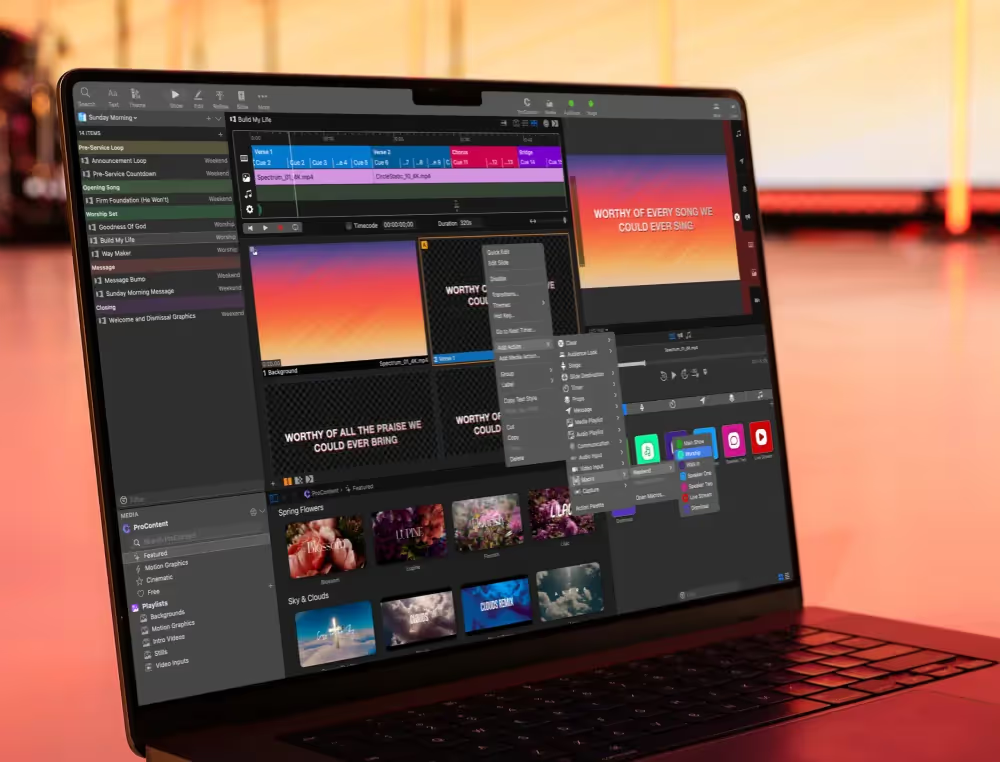
With ProPresenter, you don’t have to wait until after service to make a correction. You can edit slides in the moment without interrupting what’s happening on screen by right-clicking and selecting Quick Edit.
Stay calm and keep going.
Instead of panicking, you can make the correction quickly and keep the presentation moving. Most of the time, no one will even notice a change was needed. What could have been a stressful moment becomes just another smooth transition.
A must-know skill for every operator.
Live editing is one of those features that separates good operators from great ones. It gives you flexibility and control when it matters most. Mistakes happen, but they don’t have to stay on screen.
Learn all about this feature (plus 4 other tools every ProPresenter Operator should know) in our YouTube video '5 Essential Tools for Volunteers'!

Stay Updated with Our Newsletter
Get the latest news, updates, and exclusive offers delivered straight to your inbox.

Questions?
Browse our FAQs or our Knowledge base that we’ve made to answer your questions. Need additional help? Connect with a support team agent!